Customer Reference

You can't add the customers reference or order number the the estimate or invoice, would be good to do so in its own field

Hi, thanks for the suggestion. We have custom fields on our list of enhancements.
In the meantime, you can use the Comments section of the invoice for this.
Another temporary option is to add an inventory item called Customer Reference with a price of zero.
When you select this item, then you can add the P.O. number or the customer reference in the description for that invoice.

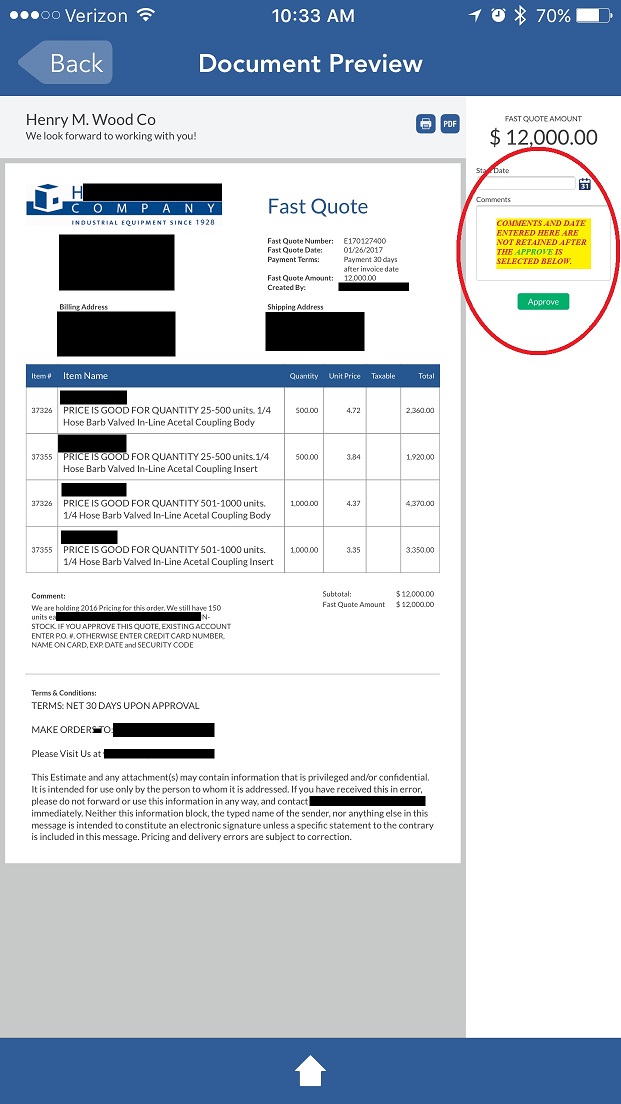
When my Customer previews the link he received with the Estimate a COMMENT box is available just above the APPROVE button (Pic below). The comments entered disappear after the APPROVED button is selected and the Total Invoice Amount replaces the COMMENT BOX..