Follow
Web Dashboard: Mark your Items as Tax Inclusive
We only offer the Tax Inclusive feature to non-U.S. customers.
1. From your computer, log into the Web Dashboard.
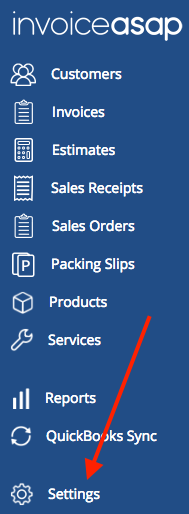
2. Click on Settings.
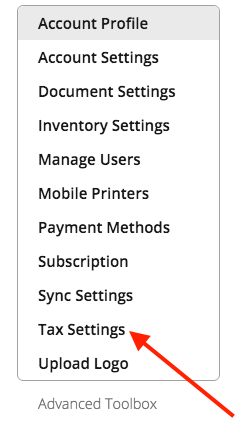
3. Click Tax Settings.
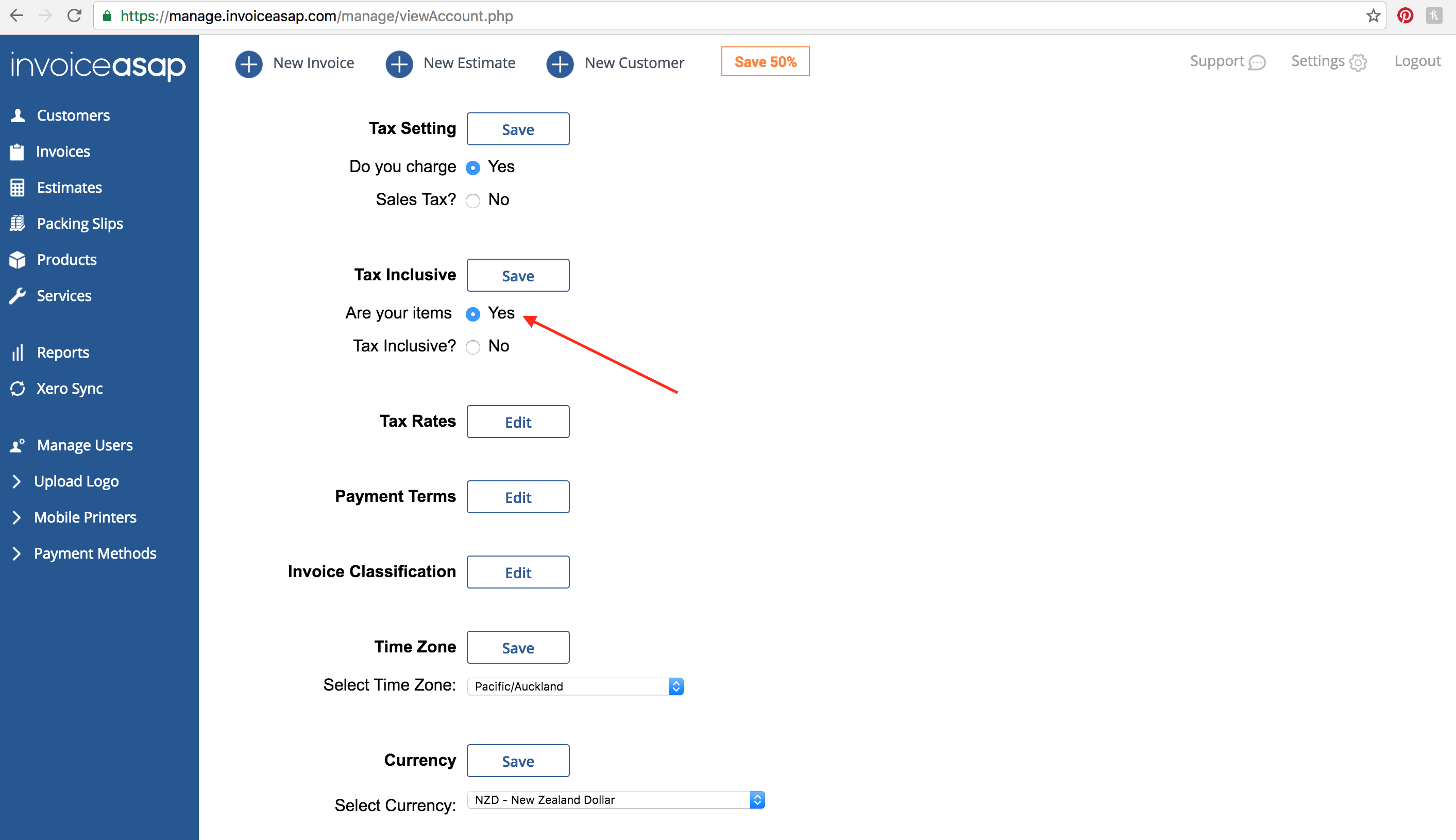
4. Click Yes and Save.
Have more questions?
Submit a request
0 Comments