Follow
Web Dashboard: Add Payment Terms
1. From your computer, log into the Web Dashboard.
2. Click on Settings.
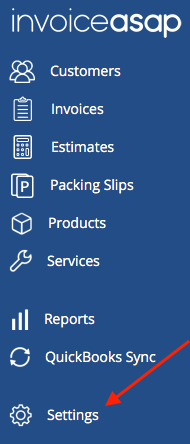
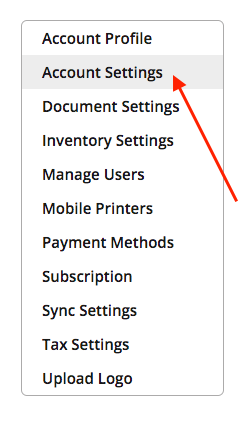
3. Click Account Settings.
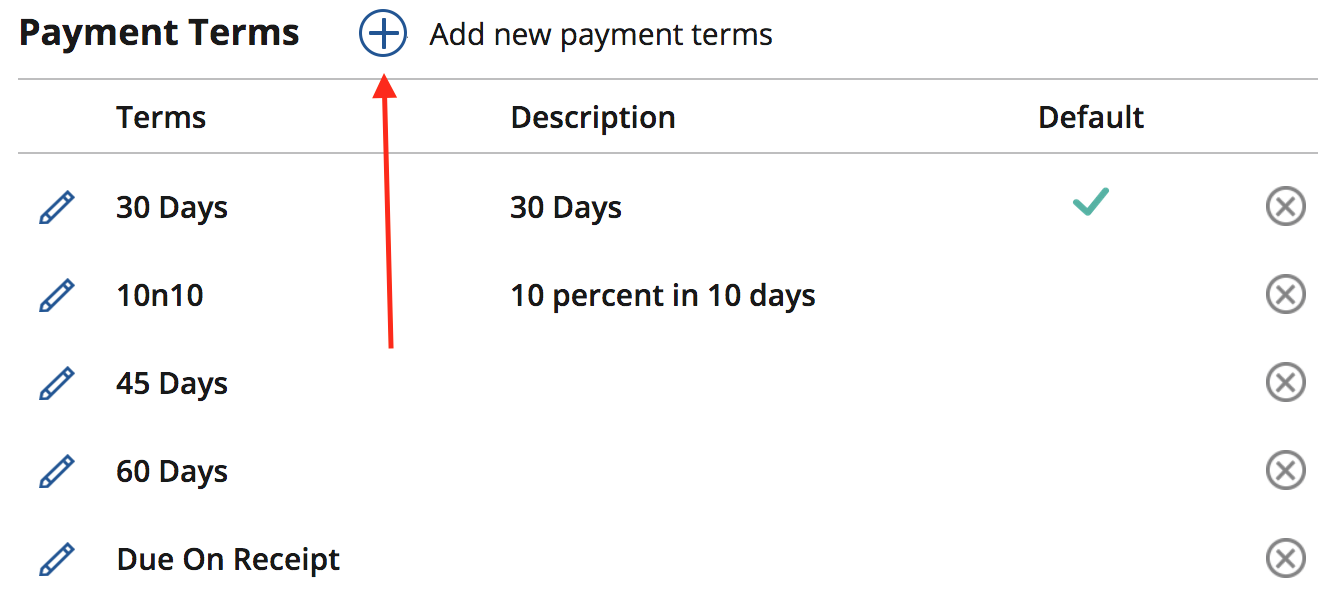
3. Click '+' button to add a new Payment Term.
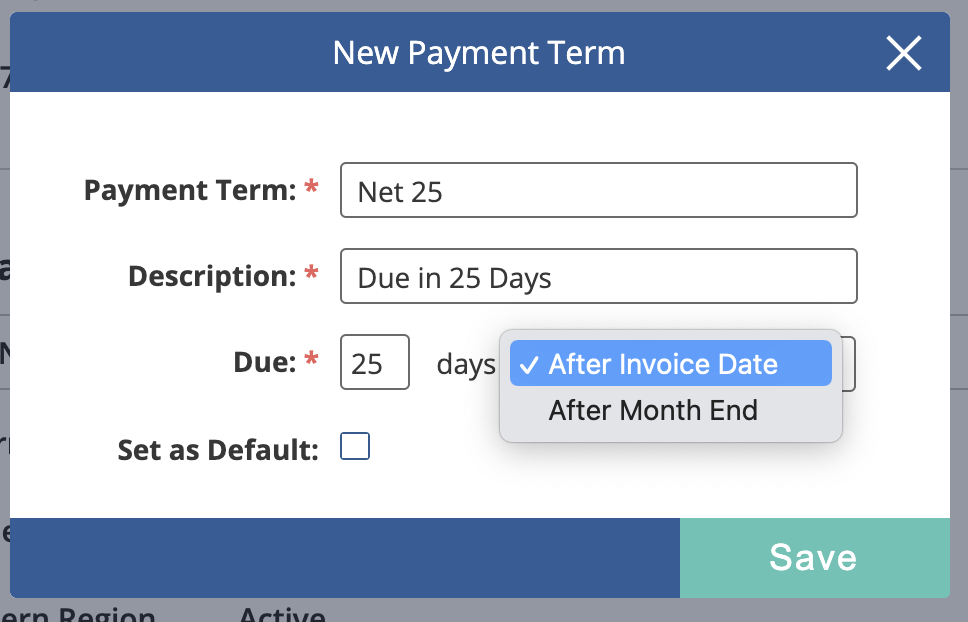
5. Add new Payment Term:
- Payment Terms is what you see.
- Description is what your customer sees.
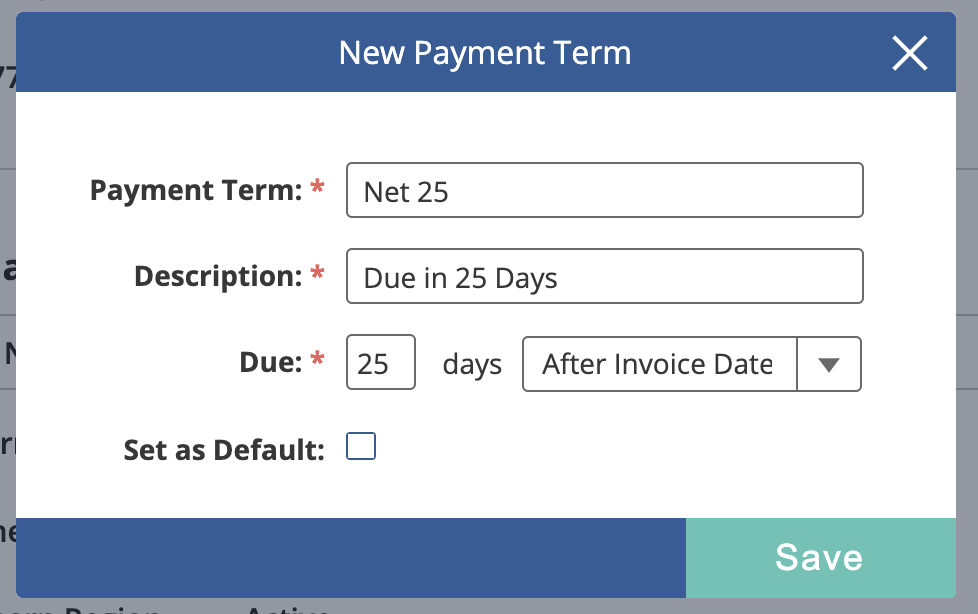
6. Set whether you want the due date to be calculated after the invoice date, or after the month-end.
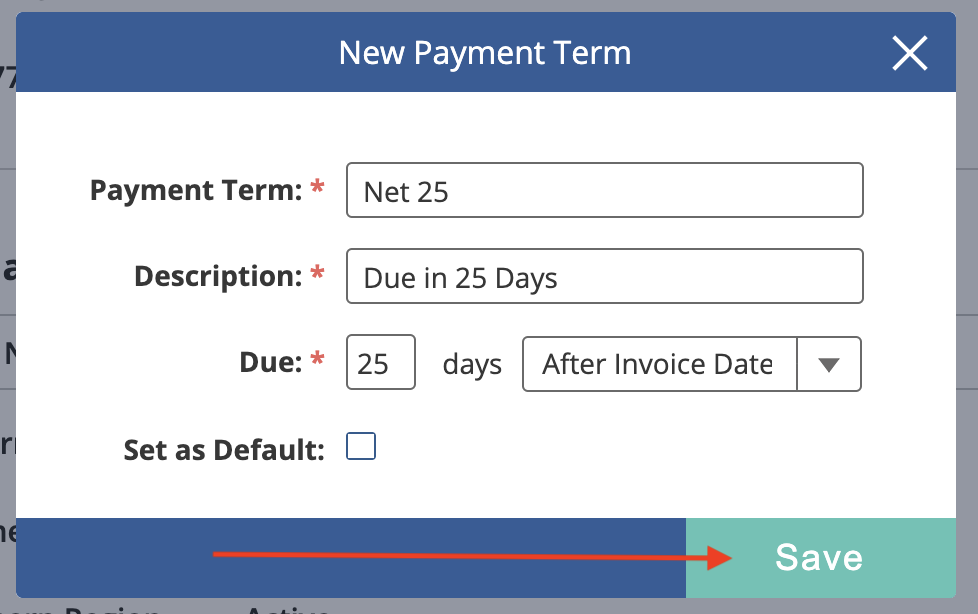
7. Click Save.
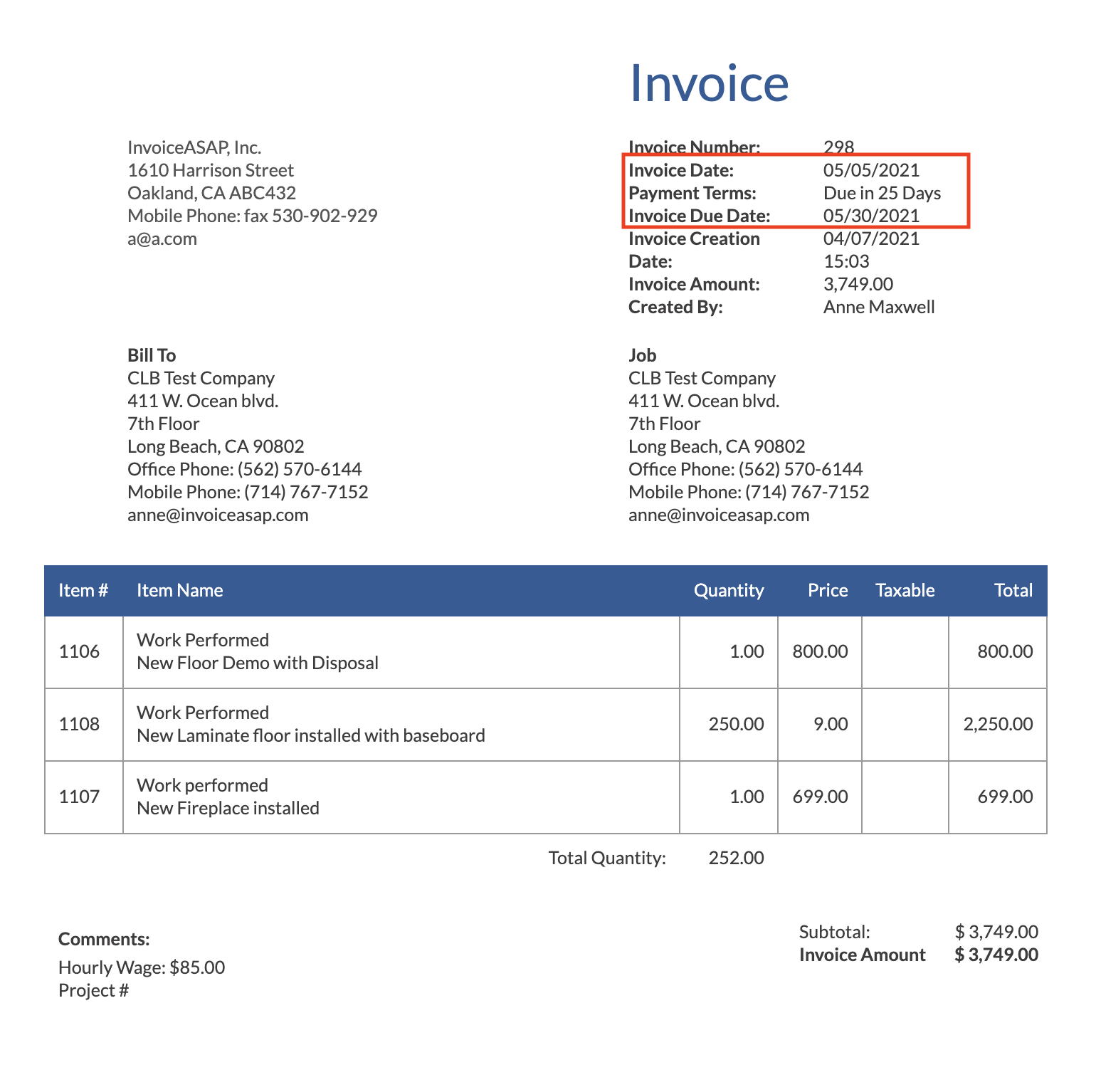
8. Your customer sees the Payment Terms on the invoice. The due date is calculated automatically.
Have more questions?
Submit a request
0 Comments