Follow
Web Dashboard: Change your Document Title
Change your Document Title on the Web Dashboard
1. From your computer, log into the Web Dashboard.
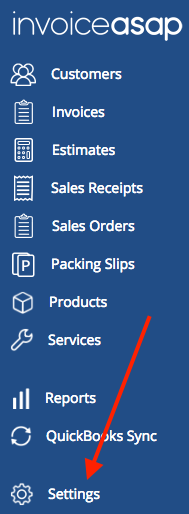
2. Click on Settings.
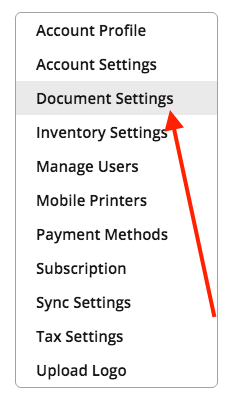
3. Click Document Settings.
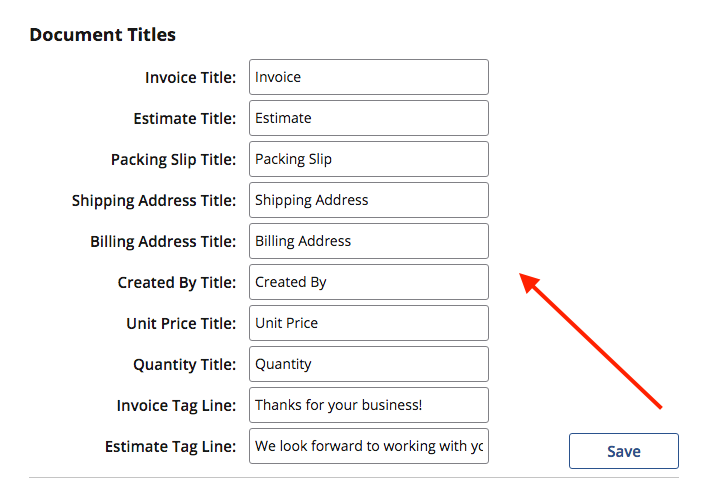
4. Scroll down to Document Title. Rename your document and click save.
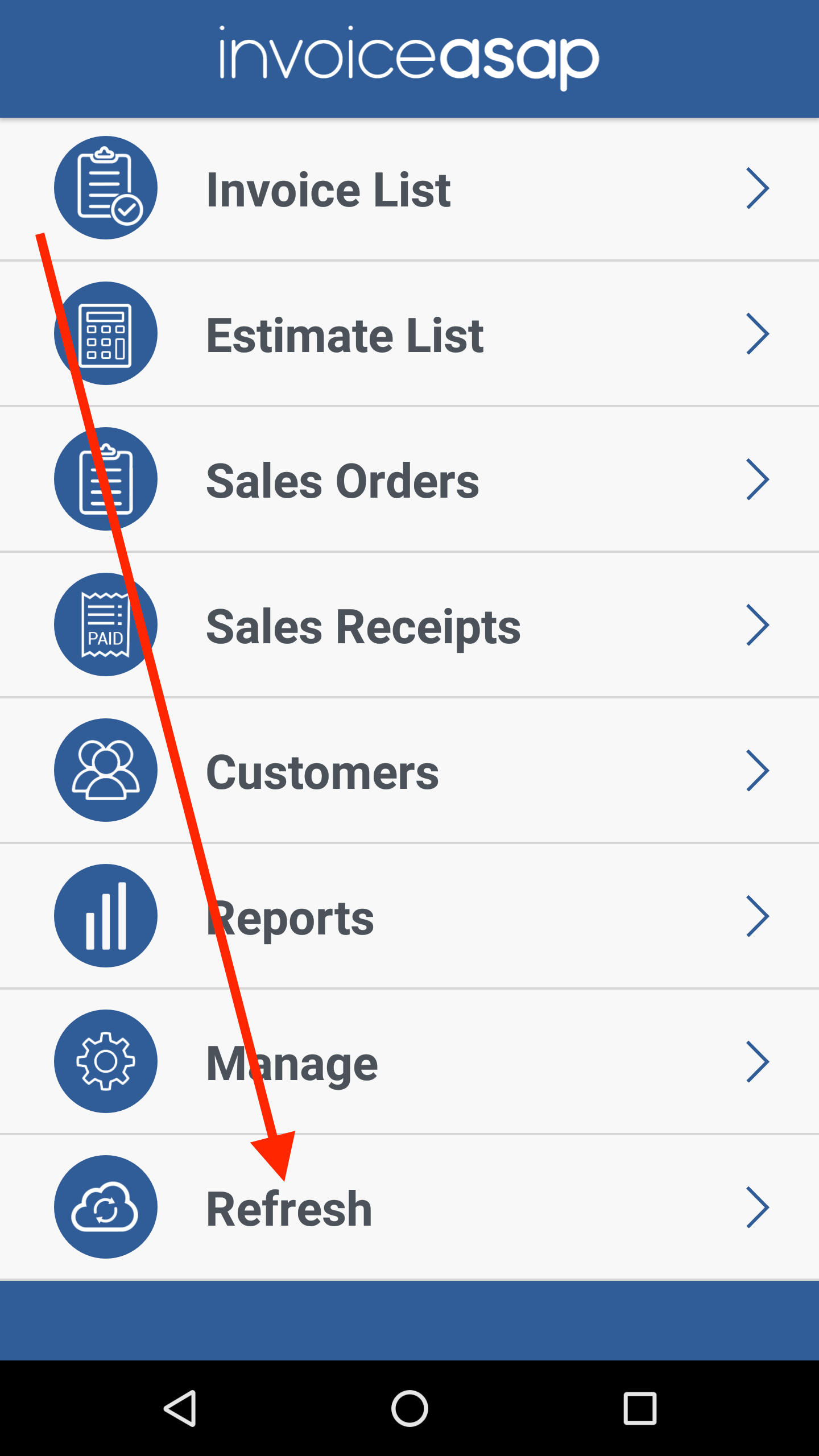
Click Refresh on the mobile device.
Have more questions?
Submit a request
0 Comments