QuickBooks Online does not allow invoiceASAP to create tax rates automatically. This is something that each customer must do.
This article shows how to do it. Once the tax is created, InvoiceASAP can link it to the tax item that you already have in InvoiceASAP, AS LONG AS that Tax Name that you create here exactly matches the Tax Name in InvoiceASAP.
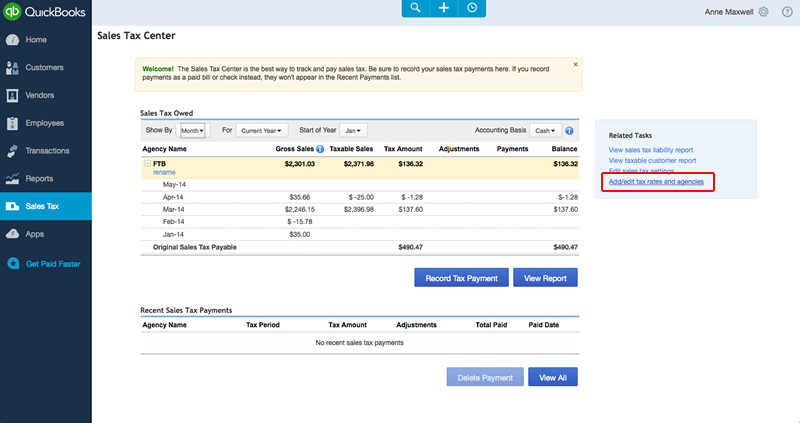
1. Open the Sales Tax Center from the Left Navigation

2. Click Add/Edit Tax Rates and Agencies.
3. Select New.

4. Create Tax and Press Save.
VERY IMPORTANT: The Tax Name must match exactly what you have called the tax in InvoiceASAP.

0 Comments